A website is not finished when it launches

Capability
03 Web
Service
Website Maintenance & Support
Typical engagement
Twelve weeks to first measured read
Measured on
Verified outcomes, not impressions

Website maintenance is the ongoing technical care that keeps a site secure, stable, compatible, performant, and healthy after launch. The software underneath a website changes constantly, and a site that is never touched does not stay the same. It drifts out of compatibility until something visible breaks.

A laptop showing a dependency update log beside a printed maintenance checklist annotated in blue ink, with an uptime monitoring dashboard on a second screen
0

stages in the recurring maintenance cycle

0Every one

updates staged and tested before production

0Verified

backups verified by test restore, not assumed

Since 0

years maintaining websites in Riverside

Selected clients

01The experts behind the work

Meet some of the Raincross experts behind Website Maintenance & Support.

A selection of the specialists who lead and shape this work, supported by a broader multidisciplinary team.

02Overview

Care that keeps a website working after the launch.

Website maintenance is the ongoing technical care required to keep a website secure, stable, compatible, performant, and healthy after it launches. It covers the software the site runs on, the environment it runs in, the integrations it depends on, and the functionality visitors actually use. It is not a support inbox and it is not a redesign. It is the discipline of keeping a working system working while everything around it keeps changing.

That change is constant and it is not optional. Browsers ship new versions, PHP and Node releases reach end of life, CMS cores and plugins publish security patches, payment processors and CRM platforms deprecate API endpoints, certificates expire on a fixed schedule, and the content team adds pages, images, and third party scripts every week. A site that is untouched for a year has not stayed still. The distance between it and the systems it depends on has grown, and closing that distance later costs far more than keeping it closed.

We treat maintenance as preventive rather than reactive. Monitoring runs continuously so failures are detected rather than reported. Updates are reviewed against changelogs, applied in a staging environment, and tested against the templates and functionality they could affect before they are promoted with a verified backup in place. Critical journeys such as forms, checkout, search, and lead routing are tested on a schedule, not assumed to work. Performance is watched as content accumulates. Access is reviewed, because most compromises begin with credentials rather than code. And every cycle produces a written record of what changed, what was tested, and what we recommend next.

Preventive care is measured in hours. Emergency recovery is measured in days.

Fig. 01Website health system
Software currency, security, performance, integrations, content, and monitoring all feed the same outcome. That is why maintenance cannot be reduced to a single recurring task, and why neglecting one input eventually becomes visible in all of them.
0
stages in the recurring maintenance cycle
Since 0
years maintaining websites in Riverside
03Platforms and technology

The stack behind the work.

We are platform-independent. Tooling is chosen per engagement, and every account is client-owned.

Platforms we maintain
  • WordPress logoWordPress
  • WooCommerce logoWooCommerce
  • Shopify logoShopify
  • Webflow logoWebflow
  • Headless frontends
  • and more...
Hosting and infrastructure
  • Cloudflare logoCloudflare
  • WP Engine logoWP Engine
  • Kinsta
  • Vercel logoVercel
  • AWS
  • and more...
Monitoring and observability
  • Uptime monitoring
  • Error tracking
  • Core Web Vitals field data logoCore Web Vitals
  • Log review
  • Synthetic journey checks
  • and more...
Operating practices
  • Staging environments
  • Version control
  • Off site backups
  • Access and credential management
  • Documented change records
  • and more...
04Problems solved

What this work is usually brought in to fix.

Eight failure patterns we see repeatedly, and what we change about each.

Updates nobody wants to touch
Updates are deferred because nobody wants to be responsible if something breaks, so the backlog grows until applying them safely is no longer possible incrementally.
Forms that fail silently
The contact form stopped delivering weeks ago after a mail authentication change, and the only evidence was an unexplained drop in leads.
Backups that have never been tested
Backups are configured but have never been restored, so nobody knows whether the archive is complete or whether the site would actually come back.
Abandoned dependencies
A plugin has not been updated by its author in two years. It still works, which is exactly why nobody has noticed that it no longer receives security fixes.
Performance that eroded gradually
The site was fast at launch. Two years of images, scripts, tags, and plugins later it is slow, and no single change is responsible.
An environment past end of life
The runtime version reached end of life, the host is sending deprecation notices, and the upgrade now requires code changes that were avoidable a year ago.
Access that was never cleaned up
Administrator accounts exist for people who left, credentials are shared, and nobody has reviewed who can change the site in a long time.
Fixes with no history
Something broke, it was fixed, and there is no record of what changed, so the next person starts from the beginning again.
05Who it's for

Where this service earns its place.

If none of these describe the situation, we will say so before a proposal is written.

  • 01

    Organizations with a site and no one responsible for it

    The site was built well, launched, and then handed back with no plan for what happens as the platform underneath it keeps moving. Updates pile up until nobody wants to be the one to apply them.

  • 02

    WordPress sites with real customization

    Custom themes, page builders, and commerce plugins interact in ways that automatic updates cannot anticipate. These sites need updates staged and tested rather than applied blindly.

  • 03

    Sites where downtime or a broken form costs money

    When forms, checkout, booking, or lead routing are part of how the business operates, a silent failure is a revenue event. These sites need functional testing, not just uptime checks.

  • 04

    Teams that inherited a site from a previous agency

    An agency relationship ended, credentials are scattered, documentation is thin, and nobody is certain what the site depends on. The first job is an inventory, then stabilization.

  • 05

    Sites recovering from a compromise or an outage

    A previous incident, a failed update, or a hosting migration left the site working but fragile. Preventive care replaces the habit of waiting for the next surprise.

  • 06

    Actively published marketing sites

    Marketing teams that publish frequently introduce change constantly. Ongoing care keeps performance, links, media, and integrations from degrading as the content library grows.

06Our approach

The best time to fix a website is before it breaks

Most of what breaks a website was visible before it broke. A plugin two major versions behind, a PHP release approaching end of life, a certificate expiring in three weeks, a form that quietly stopped delivering after a mail provider changed authentication requirements, a homepage that gained four hundred kilobytes of scripts over a year. None of those are emergencies on the day they appear. All of them become emergencies if nobody is looking. So we work on a rhythm rather than a reaction: monitor continuously, review changes before applying them, test in staging, promote with a verified backup, then write down what changed. It is unglamorous work, and it is the reason the interesting work stays possible.

The cheapest hour in a website's life is the one spent updating a plugin on a Tuesday. The most expensive is the one spent restoring a compromised site on a Saturday.

Fig. 02

A rhythm, not a milestone.

Monitor, review, update, test, validate, document. The cycle repeats at a cadence set by the platform and the rate of change, not by the calendar alone. Security releases are handled out of band, because a known exploited vulnerability does not wait for the next scheduled window.

Updates are applied in staging and tested before they reach production.

Every cycle ends in a written record, which is what makes the next one faster.

Fig. 02Maintenance cycle
07Process

How the work runs.

Six stages, run in order. Measurement design is agreed before any budget is committed.

08Capabilities

What is included.

Scoped per engagement. Most programs use four or five of the capabilities below.

  • 01

    Uptime and availability monitoring

    Continuous uptime and response monitoring with alerting, so a failure is detected by us rather than reported by a customer.

  • 02

    Staged software updates

    CMS core, theme, plugin, and dependency updates reviewed against changelogs, applied in staging, tested, then promoted to production.

  • 03

    Security patch management

    Security patching prioritized by exposure, with out of band handling for actively exploited vulnerabilities.

  • 04

    Backups and verified restores

    Scheduled database and file backups stored off the production server, with periodic test restores to prove recovery works.

  • 05

    Certificates, DNS, and domain hygiene

    Certificate renewal, DNS record review, and domain expiry tracking, because three of the most disruptive outages are also the most preventable.

  • 06

    Runtime and environment currency

    Runtime version management across PHP, Node, and database engines, planned ahead of end of life rather than after support ends.

  • 07

    Performance monitoring and tuning

    Performance budgets tracked over time, with attention to image weight, script accumulation, caching behavior, and database growth.

  • 08

    Functional testing of critical journeys

    Regular testing of the functionality that matters: forms, notifications, search, logins, checkout, booking, and any custom interaction.

  • 09

    Integration and measurement continuity

    Verification that analytics, tag management, CRM sync, and third party APIs are still receiving and sending data after every change.

  • 10

    Access and account governance

    Access review, credential rotation, role hygiene, and removal of dormant accounts, since most compromises begin with access rather than code.

  • 11

    Link, redirect, and error monitoring

    Broken link, redirect, and error monitoring so status codes and internal paths stay correct as content changes.

  • 12

    Dependency reduction

    Removal of abandoned plugins, unused themes, orphaned media, and dead code, because unused software is still an attack surface.

  • 13

    Change documentation

    Documented change records for every cycle: what was updated, what was tested, what was found, and what is recommended next.

  • 14

    Incident response and recovery

    Incident response with containment, restoration from a verified clean backup, root cause identification, and closure of the path used.

  • 15

    Ongoing minor changes

    Small content and template adjustments handled inside the cycle, with larger changes scoped separately so a retainer stays honest.

  • 16

    Platform risk reporting

    A standing view of technical debt, aging dependencies, and platform risk, so replatform decisions are planned rather than forced.


Fig. 03

Every edge is a failure point.

A website is the visible edge of several systems: a CMS, third party packages, hosting and DNS, form and email delivery, analytics and tag management, and the CRM and APIs it hands off to. Maintenance covers the edges, because a visitor does not experience a broken integration as a broken integration. They experience it as a broken website.

Most outages trace back to a dependency, not to the site's own code.

Documenting the dependencies is what makes the next failure fast to diagnose.

Fig. 03Website dependency map

Not sure what condition your site is in

Start with a technical health check

We will inventory the CMS, plugins, runtime, certificates, backups, and integrations, then tell you what is out of date, what is exposed, and what is most likely to fail first. No obligation to put the site on a plan afterward.

09Capability

03

Web

A website is not a brochure. It is where every other discipline converges, built for speed, search, accessibility, and the conversion required to justify the media above it.

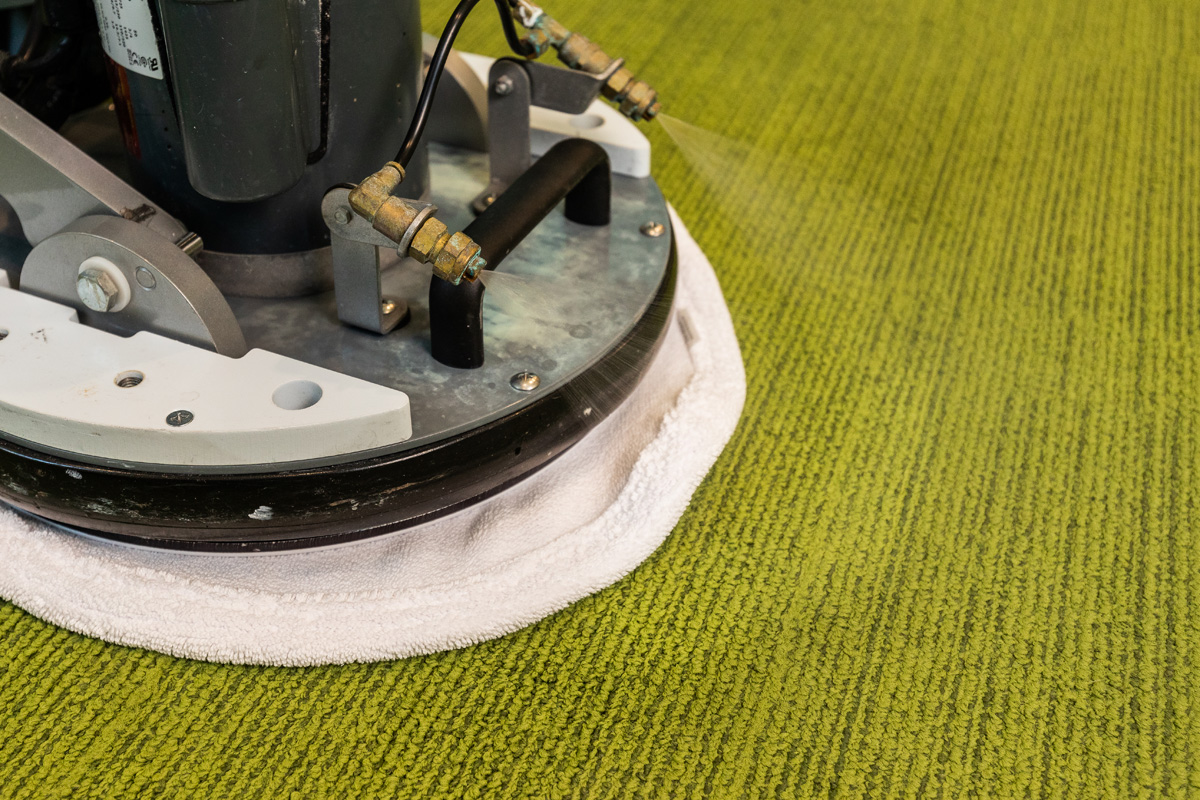
Close-up of an OctoClean interim carpet cleaning machine treating green office carpet

OctoClean

OctoClean needed to grow its franchise network, but its website was not reaching or educating prospective business owners. Candidates had to understand the opportunity, the support behind it, and what set the model apart from other commercial cleaning franchises.

01 Industry

Franchises. Web.

02 What we did

OctoClean needed to grow its franchise network, but its website was not reaching or educating prospective business owners. Candidates had to understand the opportunity, the support behind it, and what set the model apart from other commercial cleaning franchises.

0%

Increase in website traffic during the engagement

Read the full case study
12Selected engagements

Proof, with the holdout shown.

View all case studies
MonkeySports logo

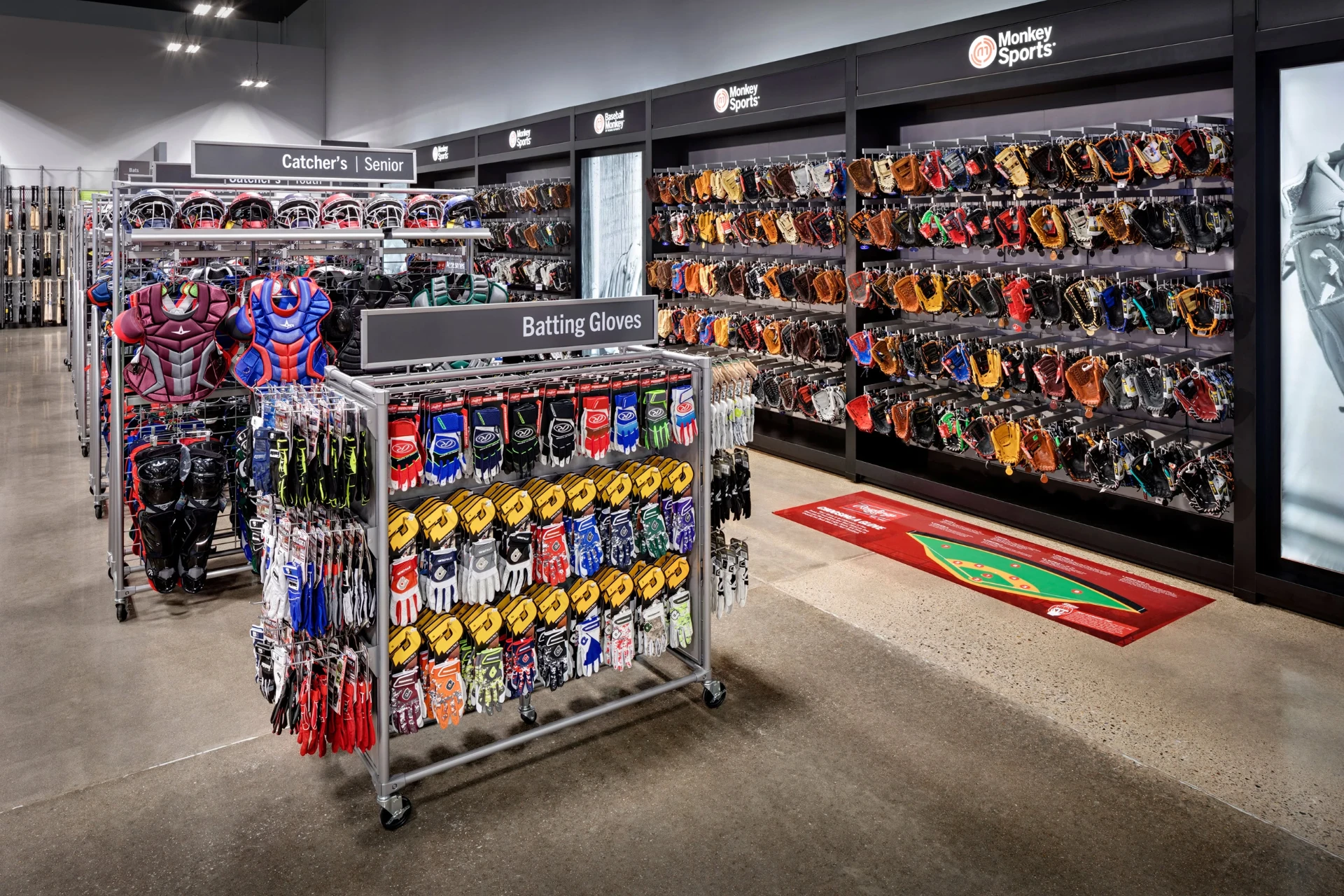
MonkeySports had to serve two businesses at once: a growing network of retail stores and three specialized online shops, each with a deep catalog of its own. The flagship site had to tie the brand together and still send shoppers in store.

Retail and e-commerce | Web

4

Connected websites in one ecosystem

Retail and e-commerce

Web

Read full story
MonkeySports baseball department with batting gloves, catcher's gear, and a wall of mitts

MonkeySports

14Questions

Common questions.

  • What is included in website maintenance?

    Maintenance covers monitoring, updates, backups, security, performance, functionality testing, integration checks, and documentation, done on a recurring schedule after launch.

  • Why does a website need maintenance after it launches?

    The software, browsers, and services a site depends on keep changing. Without maintenance the site drifts out of compatibility and eventually fails in ways that affect visitors and revenue.

  • How often should WordPress updates be applied?

    Review weekly, apply on a schedule, and treat security releases as urgent. Always test updates in staging with a verified backup before promoting them to production.

  • Is website maintenance the same as SEO?

    No. Maintenance keeps the site secure and working. SEO works on content, structure, and visibility. Maintenance protects the conditions SEO depends on, but it does not replace it.

  • What is the difference between maintenance and web development?

    Maintenance preserves existing functionality. Development adds or changes functionality. Small fixes fall under maintenance, while new features are scoped as separate work.

  • What happens if a website is never updated?

    Security exposure, compatibility debt, and quiet functional failures accumulate until routine updates are no longer possible and the fix becomes an emergency or a rebuild.

  • Do you provide backups, and how are they verified?

    Yes. Database and file backups run on a schedule, are stored off the production server, and are periodically test restored so we know a recovery would actually work.

  • How do you handle emergencies like a site outage or a hacked website?

    We contain the issue, restore service from a verified clean backup, then identify and close the cause. An incident is not closed until the underlying cause is fixed and documented.

  • Can you maintain a website your team did not build?

    Yes. We start with a technical intake, stabilize anything that blocks a normal maintenance rhythm, then move the site onto the ongoing cycle.

  • What reporting do you provide with a maintenance plan?

    You get a per cycle record of what was monitored, updated, tested, found, and fixed, plus recommendations and any issues that need to be planned as separate work.

Website maintenance and support

Find out what your website is quietly running on

Send us the site, the hosting details, and whatever documentation exists. We will inventory what it depends on, tell you what is out of date, what is exposed, and what would actually break first, and show what ongoing care would involve. If the honest answer is that the site is past maintaining, we will tell you that too.

Call (800) 505-7570. Building and maintaining websites since 1998.